


Ophthalmology practices serve patients who rely on clear vision and trust their providers to safeguard something as precious as sight. In 2025, that trust often begins online: people of all ages start their eye-care journey with a Google search. According to PracticeBeat, one out of every six people worldwide will be over 60 by 2030, and a 2024 survey found that 90% of adults over 65 are online and open to booking appointments digitally when the process is simple. Meanwhile, a study of leading U.S. ophthalmology hospital websites found 100% contained accessibility issues, with 87% suffering poor color contrast and 60% of issues making core information hard to perceive.
In other words, a poorly designed site can actively drive away patients, especially seniors, who form a significant part of your practice.
This guide synthesizes recommendations from healthcare marketing experts to outline seven best practices for an ophthalmologist website that converts visitors into patients. From mobile-first design to HIPAA-compliant booking, these practices balance compliance with user experience and local SEO.
1. Prioritize Mobile-First Design and Performance
Mobile traffic continues to dominate web usage. StatCounter’s 2025 data shows roughly half of all healthcare site visits come from mobile devices. More broadly, over 60% of web traffic comes from mobile. Google’s mobile-first indexing means that a site’s mobile experience directly affects search ranking and conversion.
Beyond device support, speed is crucial: improving Largest Contentful Paint (LCP) by one second increases conversions by about 13% and reduces bounce by 14 points.
Design tips
- Responsive layouts: Use a mobile-friendly WordPress theme or custom CSS so pages resize cleanly across phones, tablets, and desktops. Start with small-screen layouts and enhance for larger screens.
- Readable typography and spacing: Use legible sans-serif fonts at a minimum of 16px, maintain at least 4.5:1 color contrast, and use large tap targets with generous spacing.
- Fast load times: Compress images (WebP or AVIF), use caching and a CDN, and minimize JavaScript/CSS bloat.
- Test Core Web Vitals: Aim for LCP under 2.5 seconds, First Input Delay under 100ms, and Cumulative Layout Shift under 0.1.
2. Ensure HIPAA-Compliant Forms and Data Security
Healthcare websites handle protected health information (PHI). Data breaches erode patient trust and can be costly. Online forms for appointment requests, medical history, and contact inquiries should be encrypted and HIPAA-compliant.
Implementation steps
- Site-wide SSL/HTTPS: Encrypt all traffic. This supports HIPAA requirements and improves SEO.
- Encrypted, PHI-safe forms: Use HIPAA-compliant form solutions that encrypt data in transit and at rest.
- Business Associate Agreements (BAAs): Sign BAAs with vendors that handle PHI (hosting, forms, email providers).
- Secure patient portal: Offer a password-protected portal for records, prescriptions, and post-visit instructions.
- Privacy policy and HIPAA notice: Publish clear policies for data use, storage, and patient rights.
3. Simplify Online Appointment Scheduling and Portals
Online scheduling is now an expectation. Studies report that online scheduling influences provider choice, and self-scheduling can increase appointments while reducing staff workload. Seniors also prefer simple booking flows.
Best practices
- Prominent calls to action (CTAs): Add “Book Your Appointment” or “Schedule Now” in the header, hero area, and after service sections. Repeat CTAs where appropriate.
- Intuitive booking forms: Keep forms short, group related fields, and reduce required inputs. Use autofill when possible.
- Real-time availability and reminders: Show available slots, allow easy rescheduling/cancellations, and use automated SMS/email reminders.
- Integration with EHR and calendars: Sync scheduling with your EHR and staff calendars to avoid double-booking.
- HIPAA-compliant patient portal: Let patients schedule, complete forms, and access results securely.
4. Create Intuitive Navigation and Senior-Friendly User Experience
Many ophthalmology patients are seniors who may face visual or motor challenges. Simplifying navigation and page structure can significantly improve task completion.
Design guidelines
- Uncluttered layout: Use ample white space and keep pages focused on one topic.
- Clear navigation labels: Use simple menu items like Services, Meet the Doctors, Insurance and Payment, and Contact.
- Large fonts and high contrast: Use at least 16px fonts and maintain 4.5:1 contrast. Avoid light gray text on white.
- Large, touch-friendly buttons: Provide big buttons with spacing to reduce accidental taps. Consider icons with labels.
- Mobile responsiveness: Keep navigation and readability consistent across screen sizes.
- Accessible forms: Put labels above fields, provide clear error messages, and ensure keyboard and screen-reader support.
5. Publish Engaging Educational Content and Use High-Quality Visuals
Your website should educate patients and build trust. Clear, helpful content also improves SEO visibility.
Content and media tips
- Comprehensive service pages: Create dedicated pages for cataract surgery, LASIK, glaucoma, pediatric care, and retinal services. Use plain language and include FAQs.
- Blog and resources hub: Publish helpful articles (for example, dry eye causes or how to prepare for an eye exam) to build authority and capture search traffic.
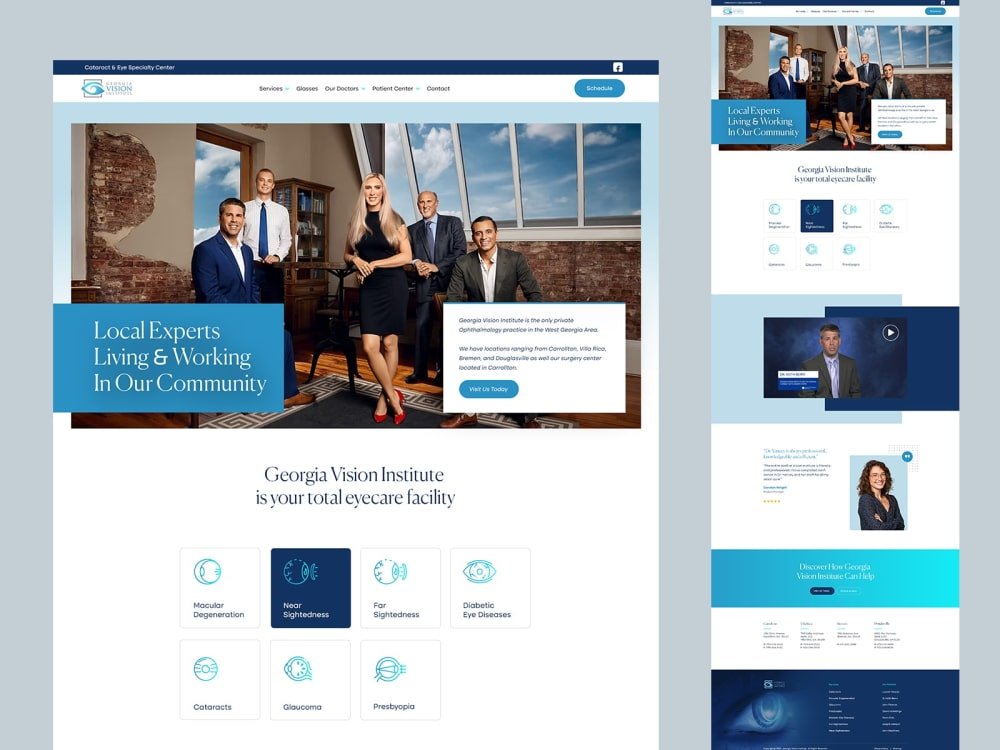
- High-quality imagery and videos: Use professional photos of your team, clinic, and technology. Add educational videos and include alt text for images.
- Infographics and diagrams: Use visuals to explain conditions and procedures simply.
- Patient testimonials and reviews: Add reviews and testimonials prominently. Video testimonials can be especially persuasive.
- Accessibility basics: Add alt text, captions, and transcripts, and ensure keyboard navigation works throughout.
6. Leverage Trust Signals, Credentials, and Social Proof
An ophthalmology website must establish credibility quickly. Visitors often compare reviews, credentials, and signals of professionalism before booking.
Key elements
- Doctor bios and credentials: Include education, board certifications, fellowships, specialties, and professional headshots.
- Awards and affiliations: Highlight hospitals, academic ties, and professional organizations.
- Patient reviews and ratings: Display star ratings and review excerpts with reputable widgets where possible.
- Before-and-after galleries: If relevant, show results with written consent and appropriate privacy safeguards.
- Privacy and security badges: Reinforce security with SSL and compliance messaging where accurate.
- Press mentions and case studies: Link to media coverage, publications, or research to add third-party credibility.
7. Optimize for Local SEO and Visibility
Even the best website will not drive growth if it cannot be found. Local SEO helps nearby patients discover your practice.
SEO recommendations
- Keyword research and meta optimization: Use phrases like “ophthalmologist in [City]” and “eye doctor near me” naturally in titles, headings, and copy.
- Clean URLs and internal linking: Use readable URLs (for example, /glaucoma-treatment) and link related pages to guide users and search engines.
- Local listings: Optimize Google Business Profile and other map/directory listings. Keep name, address, and phone consistent everywhere.
- Structured data (schema): Add MedicalOrganization, Physician, FAQ, and Review schema to support rich results.
- Technical SEO and speed: Fix crawl errors, broken links, and duplicate content. Maintain strong performance on mobile.
- Content marketing and backlinks: Publish useful content and earn links from reputable local and healthcare sources.
Conclusion: Turning Your Website into a Patient-Focused Digital Front Door
Patients seeking eye care increasingly judge practices by their digital experience. A site that is slow, confusing, or inaccessible can deter prospects before they ever contact your office. A fast, mobile-optimized, HIPAA-aware site with simple booking, educational resources, and trust signals can increase patient confidence and improve conversions.
To recap, the seven best practices are:
- Mobile-first design and performance: Responsive layouts, legible fonts, strong contrast, and fast load times.
- HIPAA-compliant forms and data security: SSL/HTTPS, encrypted forms, BAAs, and secure portals.
- Simple online scheduling: Clear CTAs, streamlined forms, real-time availability, and reminders.
- Senior-friendly user experience: Clean layouts, intuitive navigation, large text, and accessible forms.
- Educational content and visuals: Service pages, blogs, images, videos, and testimonials.
- Trust signals and social proof: Credentials, reviews, galleries, and security indicators.
- Local SEO and technical optimization: Keyword targeting, clean URLs, schema, listings, and performance.
When implemented together, these improvements turn your website into a patient-focused gateway that builds trust, supports accessibility, and drives sustainable practice growth.